Create an account, and what changes then
Every structure runs without an account. You need a free account to keep your work and find it again. Making one takes a minute, and it stays free, new structures included.
Step 1
Create an account
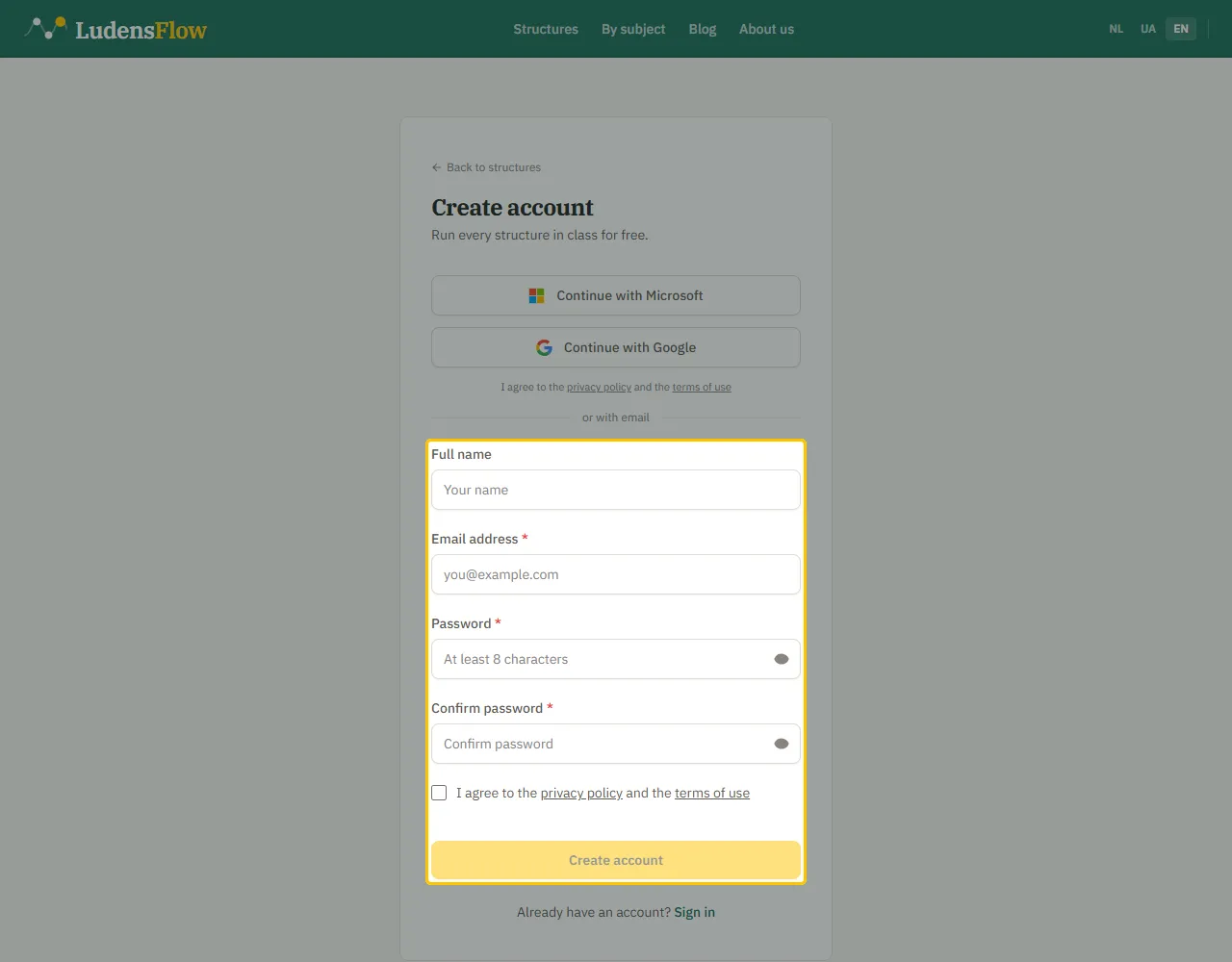
Click “Register” at the top right. Choose “Continue with Microsoft” or “Continue with Google” and you are in at once. Or fill in your name, your email address and a password of at least 8 characters and click “Create account”.
Step 2
Confirm your email address
With email you get a six-digit code. Enter it and click “Verify”. Your account works right away, and verifying can wait: you have 7 days. Nothing arrived? Check your spam folder, and for a school or work address also quarantine.
Step 3
What changes: your work is kept
“Save preparation” appears on the start screen. You keep up to five preparations at a time, with your own questions and times. They sit in “My preparations” and open in one click.
Step 4
The AI writes along
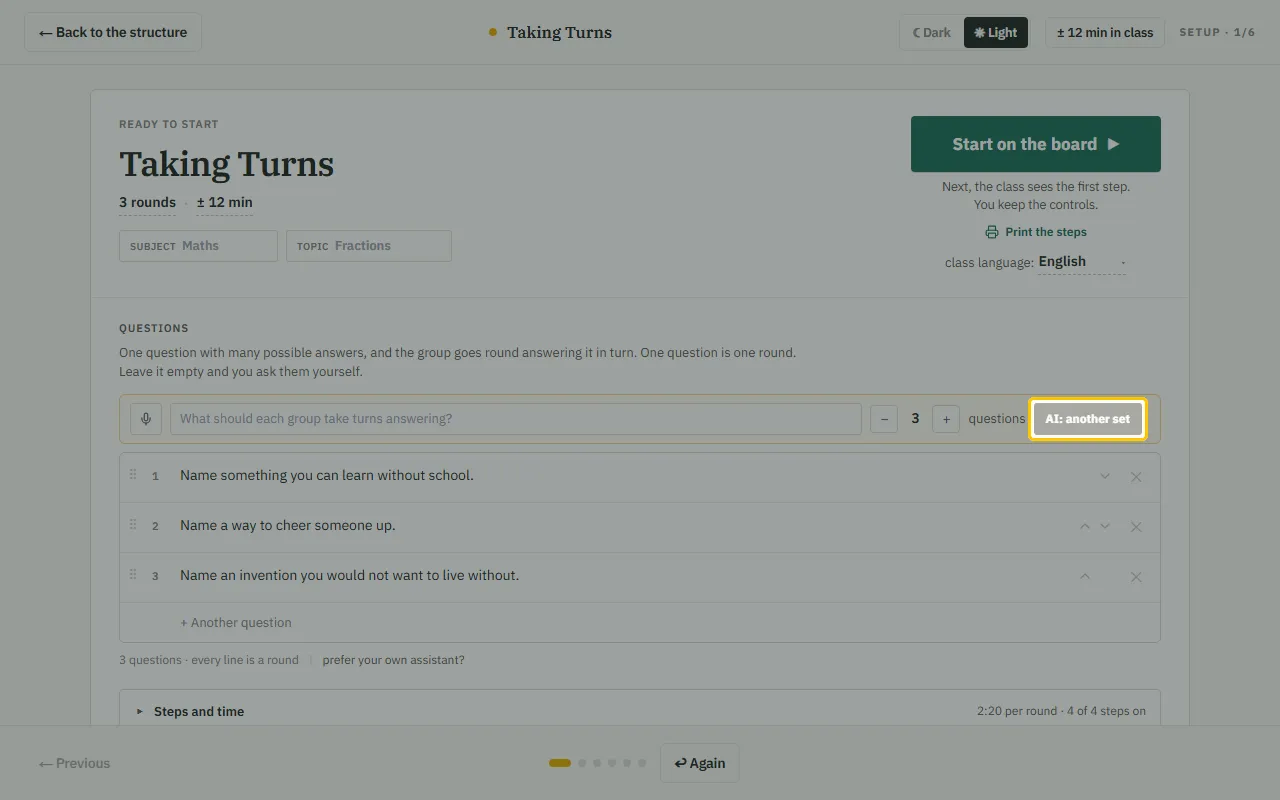
The “AI: another set” button starts working. Type your topic and the AI suggests questions or statements that fit the structure. Five times a month for free. You choose what stays, and you can always edit.
Step 5
Sharing, cards and the Learning path
You share a preparation with a colleague through a link. You make cards for your class: the basic kit and a generator for cards with your own questions. And the “Learning path” in the menu walks you step by step through everything LudensFlow does.