What the class sees on the board
LudensFlow puts a structure on the board step by step. The class sees one step at a time, with a timer. You keep the buttons and set the pace. So you do not have to repeat the task, and your hands are free to walk around and listen.
Step 1
First, all the steps in a list
After “Start on the board” the class first sees every step of the structure, with the time it takes. Read them together. Then everyone knows what is coming before the first timer runs.
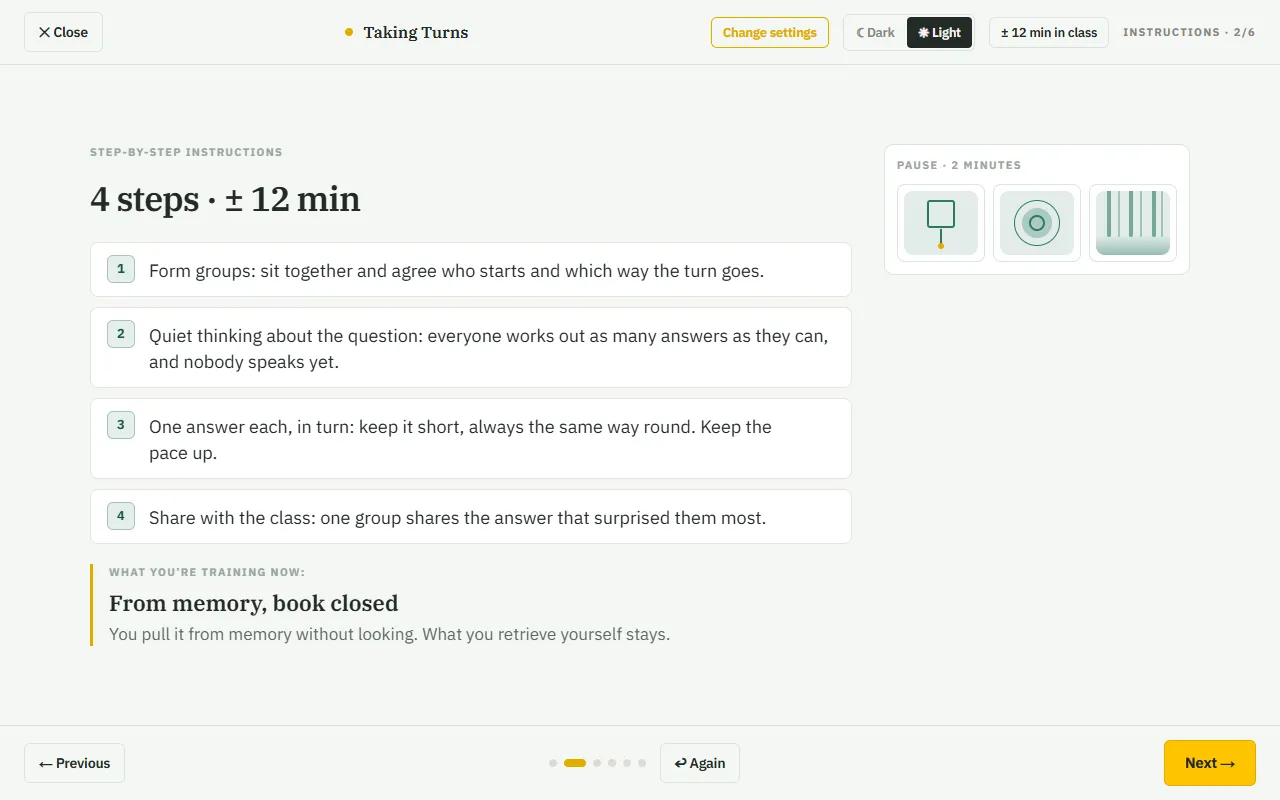
Step 2
Then one step at a time
Each step stands large on the board: what the class does now, a timer and what the groups look like. Along the bottom are all the steps, the yellow one is now. The sentence is written so a class can follow it literally.
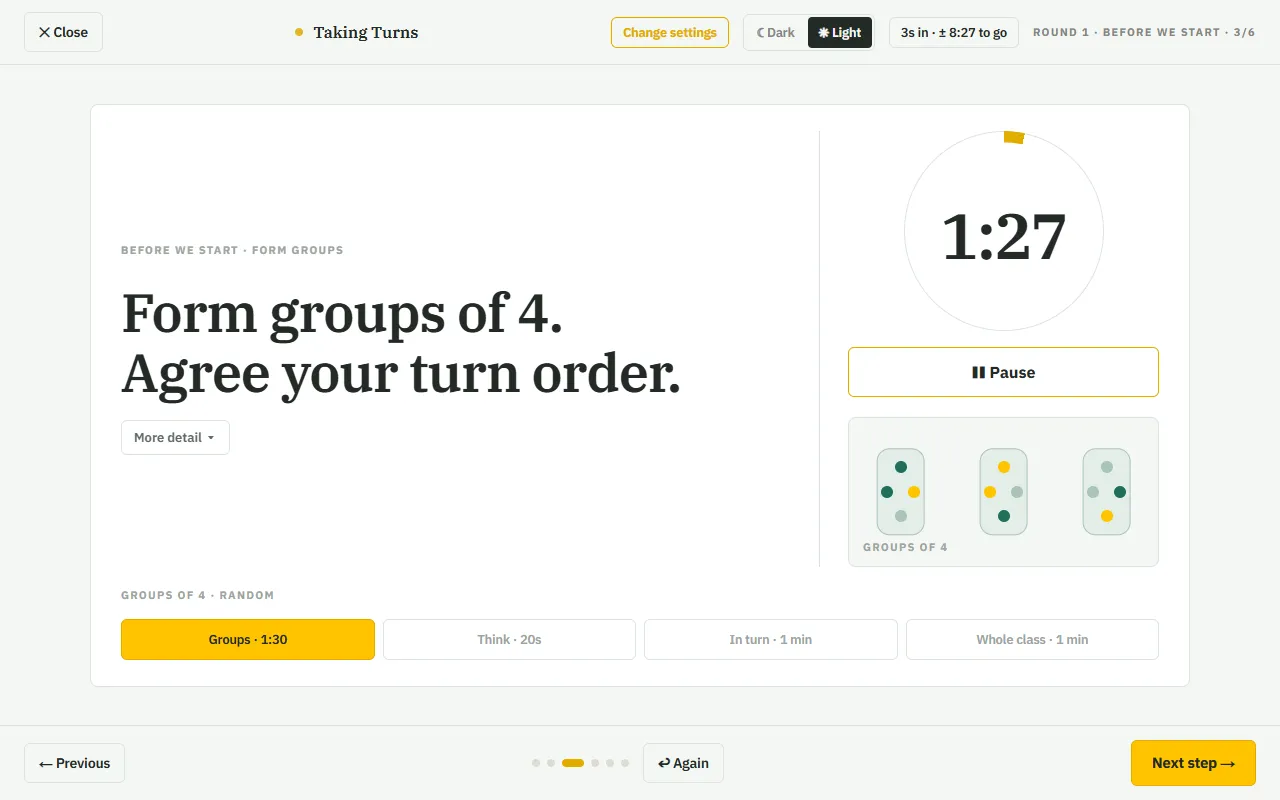
Step 3
What it gives you
You do not need to know the structure by heart: steps, roles and time are ready. Every structure runs without an account, on any screen with a browser: interactive board, projector or laptop. Want to look first? Each structure's page has a short demo.